EDAS for GCCE 2026 is Open!
The EDAS Submission Page is Open!! Thank you for your patience. Please check the Important Dates before submissions. GCCE 2026 welcomes papers related not only to the Regular Topics but also to the Organized Sessions.
Paper Submission to GCCE
IEEE GCCE 2026 welcomes submissions via the EDAS paper submission system.

GCCE 2026 submission policy
Instruction of Paper Submission System
- Creating Your Account
- Paper Registration
- Review Paper Upload
Creating Your Account
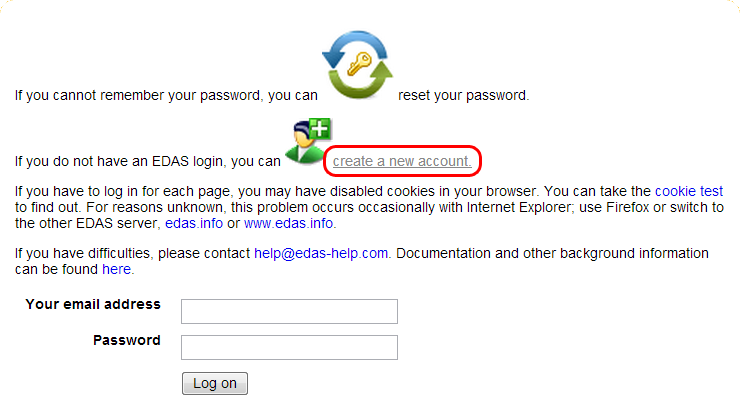
- Go to EDAS Conference Management System.

- Click "create new account."
- Fill required fields.
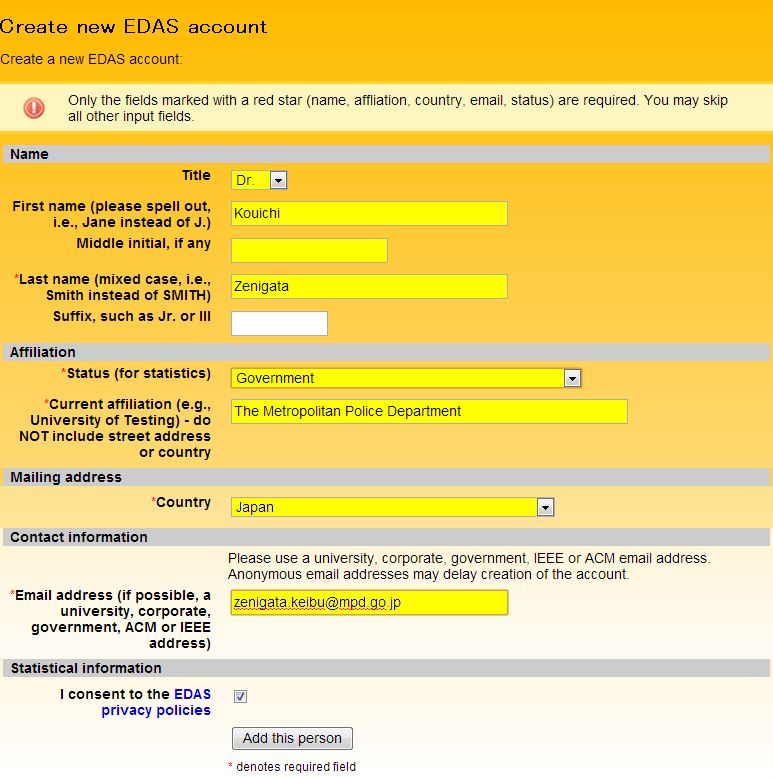
- Fill additional fields if any (wheel chair, vegetarian, etc.).
- Check "I consent to the EDAS privacy policies" and click .
- Instructions for setting up the password will be mailed.
- Clicking the link in the mail body lets you to the the screen below for setting your password.
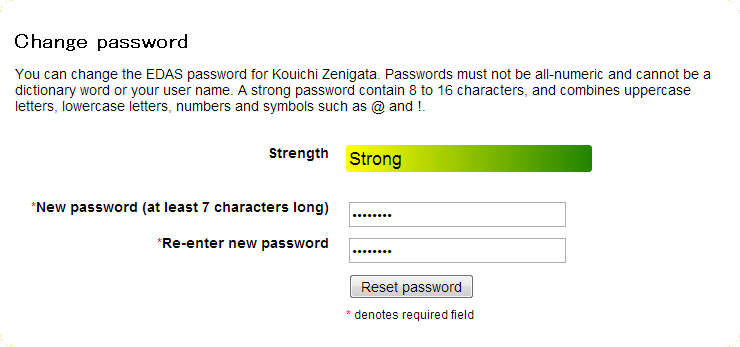
- Clicking activates your EDAS account.

Paper Registration for GCCE2026
- Goto EDAS GCCE 2026 entrance page.
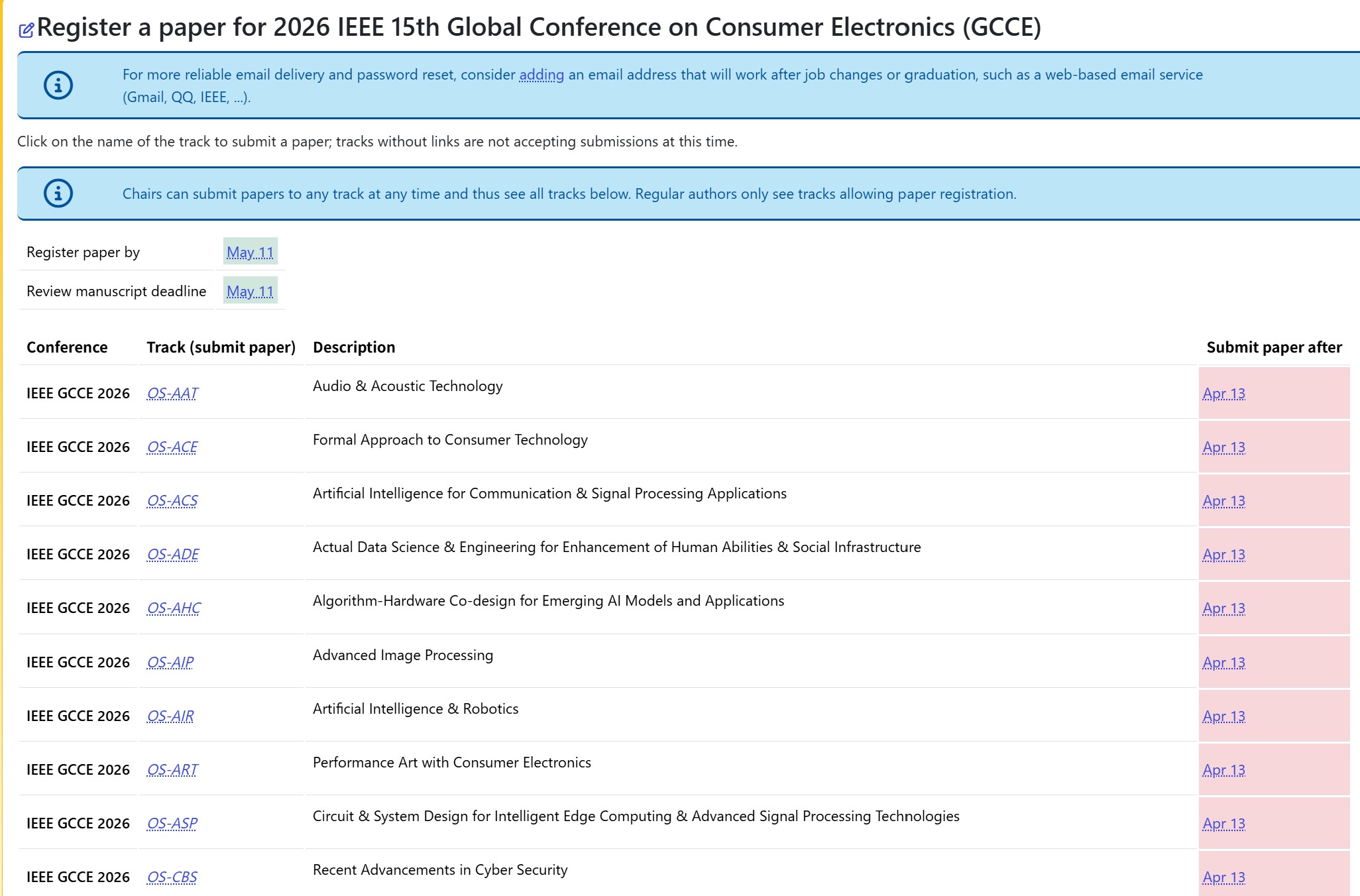
- Select the organized session or regular topic where you wish to submit your paper, and click on the session name.

You can view the details of each session here; Organized Sessions, Regular Topics
-
The paper information entry page will appear. Here, you will enter information such as the paper title and abstract. Here, you must check the three checkboxes to indicate that you agree to the GCCE 2026 submission policy.
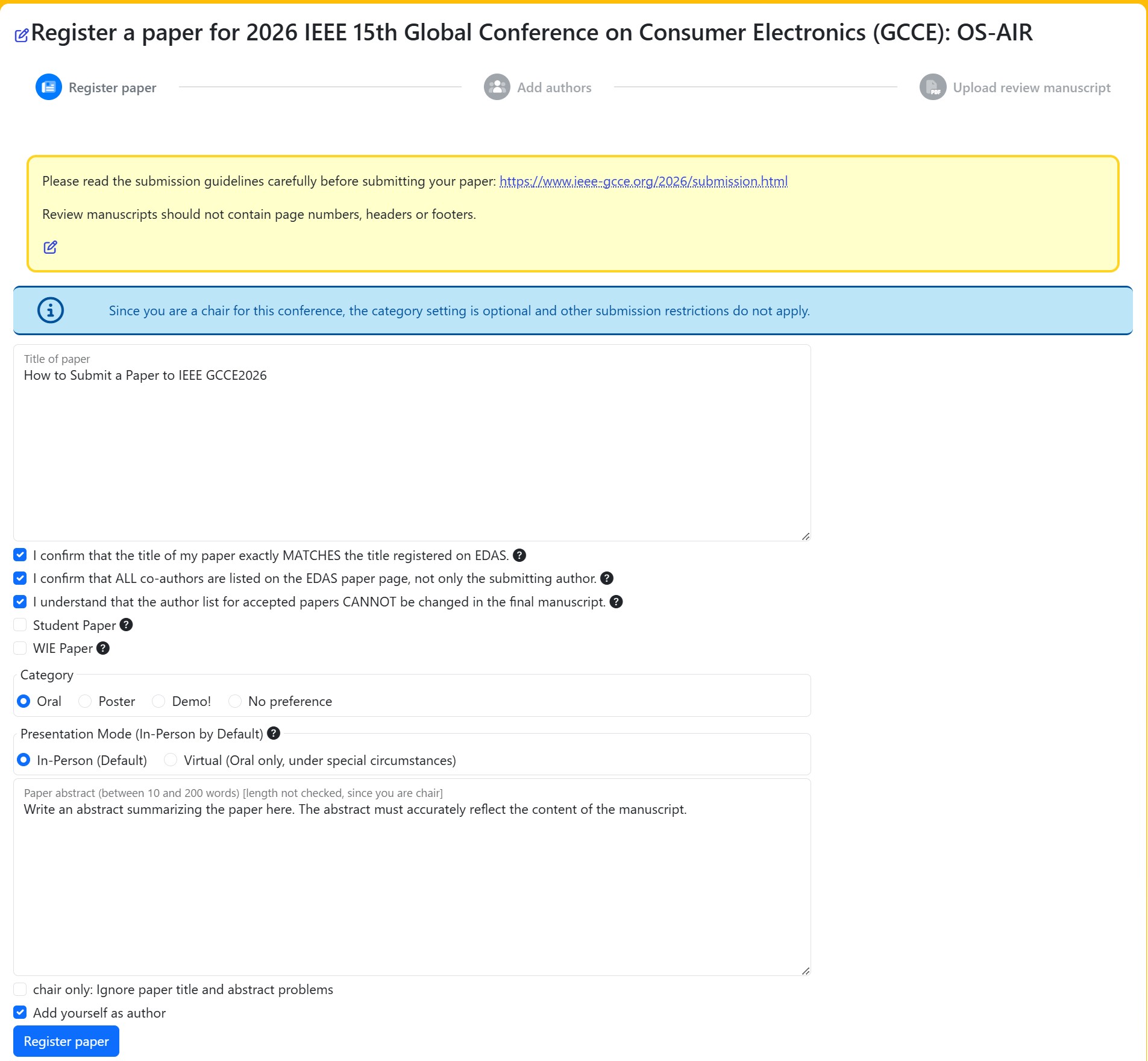
- Please check the following paper type if applicable. These are nominated automatically to Student Paper Award and WIE Paper Award, respectively.
- Student paper: The first author and presenter is a student.
- WIE paper: The first author and presenter is female.
- Press button to proceed.
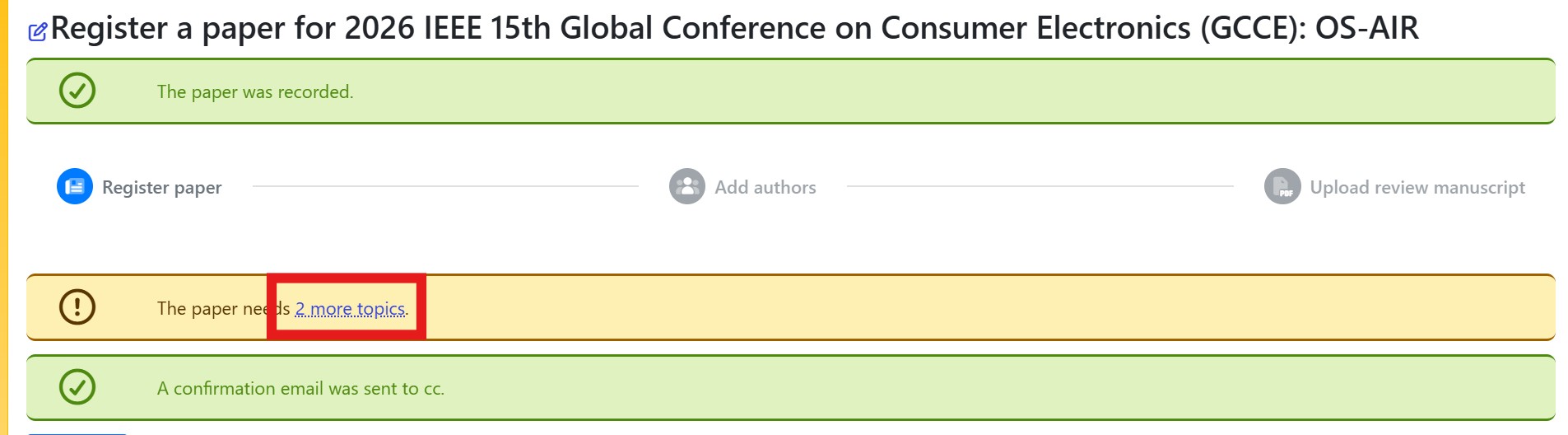
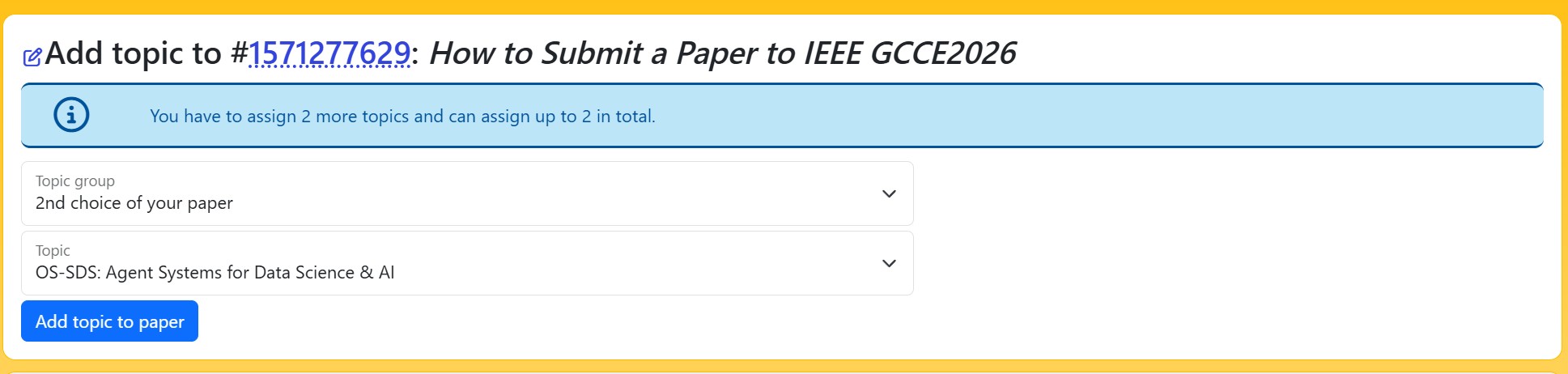
- On this page, you will register your second and third choice sessions. Please click the area highlighted in red to proceed with registration.
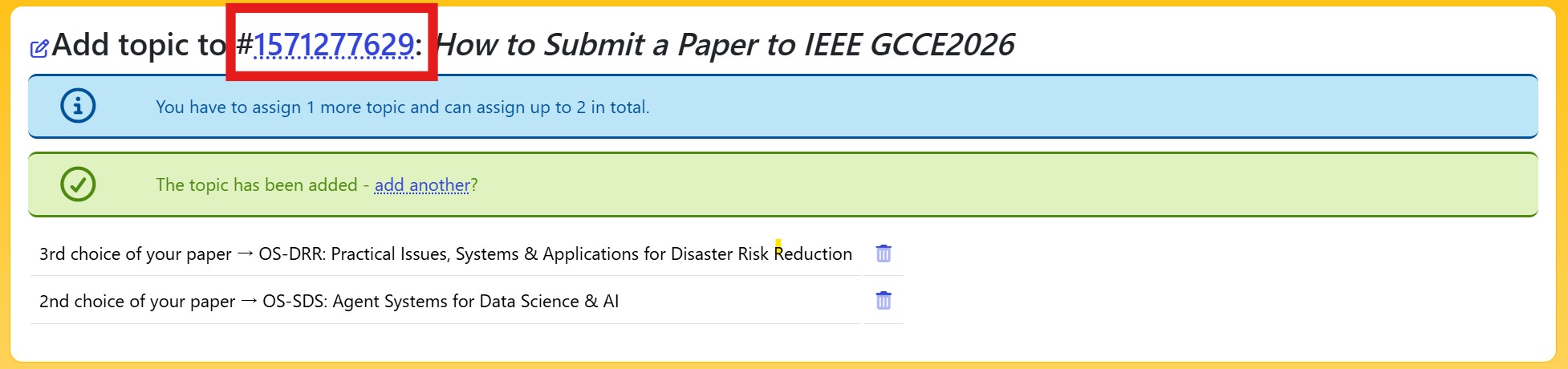
- Click the paper number on this screen to return to the paper page.
-
Use (+) icon at "Authors" to add co-authors (you may have to ask co-authors to create accounts on EDAS).
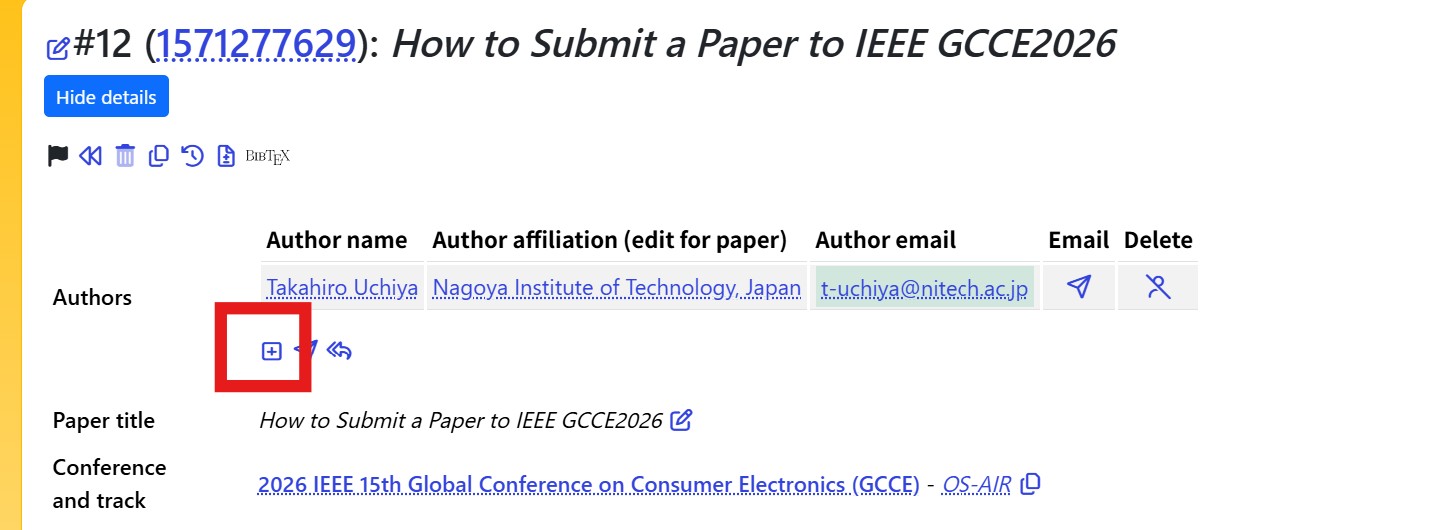
- Finally, verify that the paper title, list of authors, abstract, and other details are correct to complete the registration of the paper information.
- Your paper registration is completed. Use upload icon at "Review manuscript" to upload your paper.
Review Paper Upload
- Get an A4-sized IEEE template and write your paper (2-pages for review).
- [Demo! Category only] Upload your movie to YouTube (optional)
- Login EDAS Conference Management System.
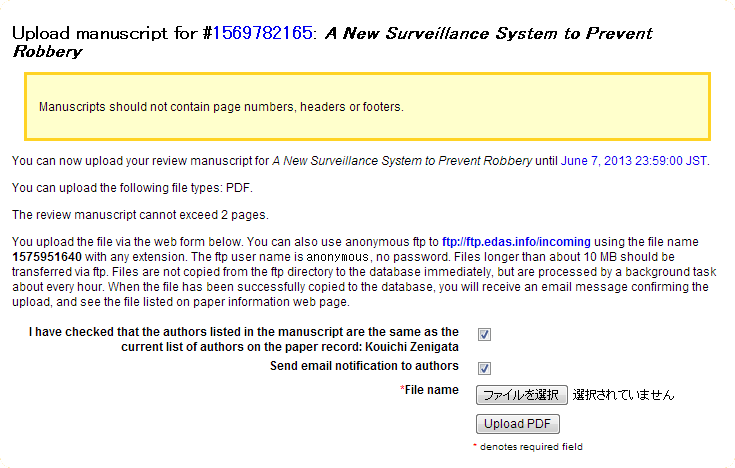
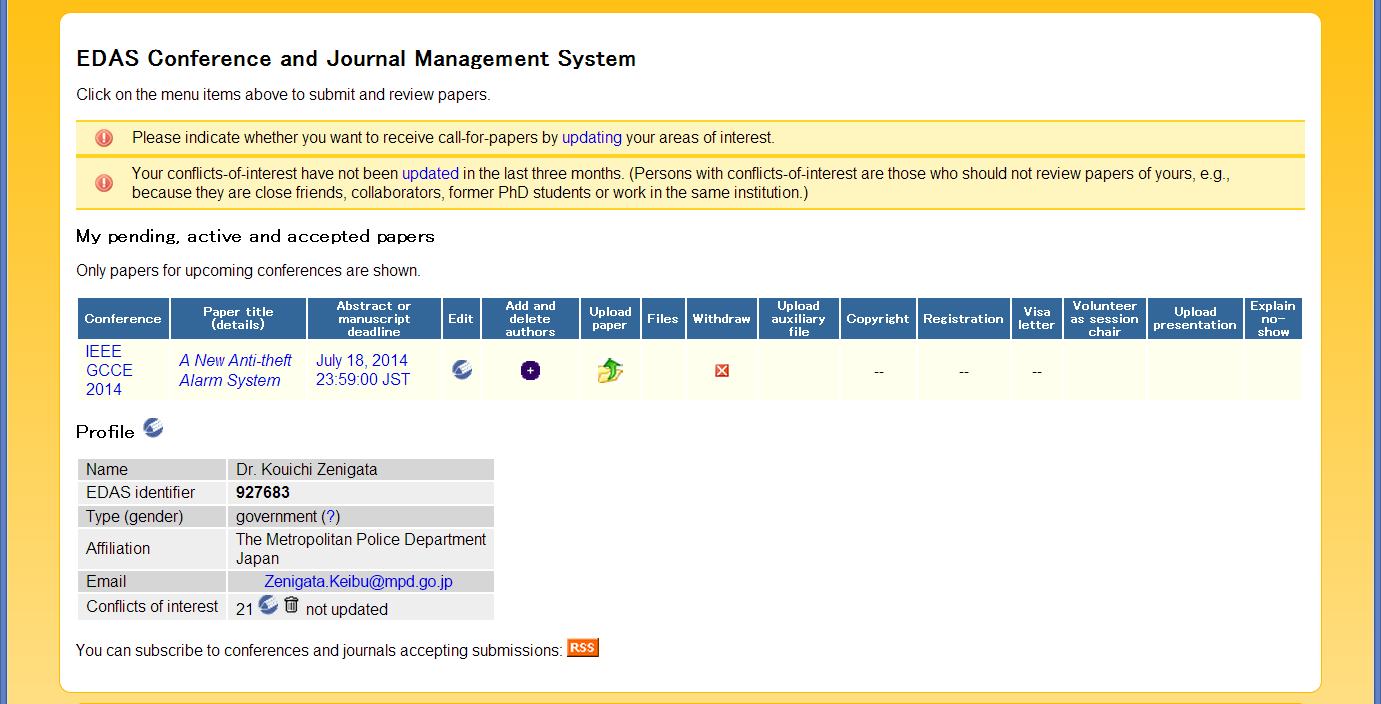
- Registered papers are now listed in your home page. Click icon at "Upload paper" to proceed.
- Confirm that authors listed in your manuscript are correctly registered on EDAS. Check the checkbox and proceed uploading.